
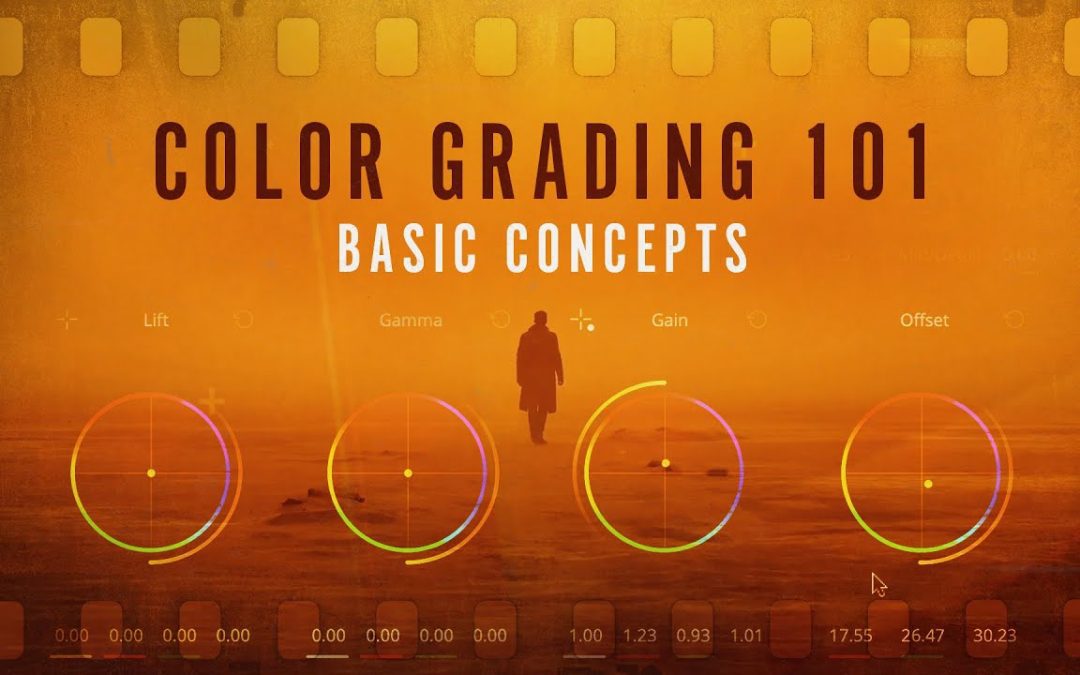
Color grading is an essential yet often overlooked aspect of video production that can dramatically enhance the visual storytelling of any project. For beginners stepping into the world of filmmaking, understanding the fundamentals of color grading is fundamental for transforming raw footage into a polished masterpiece. This article delves into the techniques and tools that can elevate your visuals, offering practical tips and insights that make the art of color grading accessible to all aspiring creators. Join us as we explore the vibrant world behind color grading and unlock the potential of your cinematic vision.
What is color grading and why is it important?
Color grading is the process of adjusting colors in video or images to enhance mood and visual storytelling, fundamental for achieving a professional and cohesive look.
What is color grading and why is it important in video production?
Color grading is the process of adjusting and enhancing the color properties of a video to create a specific mood, improve visual aesthetics, and ensure consistency across scenes. In video production, it plays a fundamental role in storytelling, as it influences how the audience perceives the narrative and emotional tone. By manipulating colors, contrast, and brightness, filmmakers can evoke feelings, highlight key elements, and guide viewers’ attention, ultimately elevating the overall quality of the production. Effective color grading not only enhances the visual appeal but also helps to establish a cohesive look that aligns with the project’s artistic vision.
What are some basic techniques for beginners to start color grading their footage?
Color grading is an essential skill for enhancing the visual impact of your footage, and beginners can start with a few simple techniques. First, familiarize yourself with the color wheels in your editing software to adjust the shadows, midtones, and highlights, allowing for a balanced and harmonious look. Next, experiment with contrast and saturation to make your colors pop without overwhelming the viewer. Utilizing LUTs (Look-Up Tables) can also streamline the grading process, providing a professional touch with just a few clicks. Finally, always consider the mood you want to convey; warm tones can evoke comfort, while cooler tones can create a more dramatic atmosphere. By practicing these techniques, you’ll gradually develop your own unique style and enhance the storytelling power of your visuals.
What software tools are recommended for beginner color graders?
For beginner color graders, user-friendly software tools can make the learning process both enjoyable and effective. One of the top recommendations is DaVinci Resolve, which offers a robust free version packed with professional-grade features. Its intuitive interface allows beginners to easily navigate the color grading tools while also providing in-depth tutorials to help develop skills. Another great option is Adobe Premiere Pro, which integrates seamlessly with other Adobe Creative Cloud applications. Its Lumetri Color panel simplifies color correction and grading, making it accessible for newcomers while still suitable for advanced users.
In addition to these primary tools, beginners might also consider using Filmora or HitFilm Express, both of which offer straightforward interfaces and essential color grading capabilities. Filmora is especially known for its drag-and-drop functionality, allowing users to experiment with color effects without a steep learning curve. HitFilm Express not only provides color grading tools but also includes visual effects, enabling users to enhance their projects creatively. By starting with these recommended software options, beginners can cultivate their skills and develop a strong foundation in color grading.
How can I achieve a professional look in my color grading without advanced skills?
Achieving a professional look in color grading doesn’t have to be a complex task. Start by familiarizing yourself with basic color theory and the tools available in your editing software. Utilize presets or LUTs (Look-Up Tables) that can provide a solid foundation for your project. These tools can help you achieve a polished look quickly, allowing you to focus on enhancing your visuals without needing extensive technical knowledge.
Next, pay attention to your exposure and contrast. A well-balanced image with appropriate brightness can elevate your work significantly. Adjust highlights and shadows to create depth, ensuring that the brightest and darkest parts of your footage complement each other. This balance will give your project a more dynamic and engaging appearance, making it visually appealing without overcomplicating the process.
Finally, consistency is key. Apply the same color grading style throughout your project to maintain a cohesive look. This can be done by creating a color palette that aligns with the mood you want to convey. By keeping your colors uniform and intentional, you can elevate the overall professionalism of your work, making it feel more curated and refined, even with minimal advanced skills.
Transform Your Videos with Stunning Color Techniques
Unlock the full potential of your footage by mastering stunning color techniques that elevate your videos from ordinary to extraordinary. By harnessing the power of color grading, you can create vibrant, cinematic looks that enhance mood and storytelling, drawing your audience in like never before. Experiment with contrasting hues, dynamic color palettes, and subtle adjustments to highlight key elements within your scenes. Whether you’re aiming for a dramatic atmosphere or a soft, dreamy aesthetic, these transformative techniques will not only captivate viewers but also give your work a professional polish that stands out in a crowded digital landscape.
Unlock the Secrets of Professional Color Correction
Color correction is an essential skill for any visual artist, providing a foundation for creating stunning, impactful images. By understanding the principles of color theory and how different hues interact, you can elevate your work from ordinary to extraordinary. Mastering the nuances of color balance, saturation, and contrast allows you to evoke emotions and enhance storytelling, making your visuals more compelling and engaging.
One of the key techniques in professional color correction is the use of software tools that offer advanced controls. Programs like Adobe Premiere Pro and DaVinci Resolve provide a range of features, from color wheels to curves, enabling precise adjustments to the tonal range of your images. Learning how to navigate these tools effectively will empower you to achieve the desired look, whether you aim for a vibrant, polished finish or a muted, atmospheric tone.
As you delve deeper into color correction, remember that practice and experimentation are vital. Analyzing the work of seasoned professionals can provide inspiration and insight into effective strategies. By continually honing your skills and exploring creative possibilities, you will unlock the full potential of your visual projects, transforming them into captivating narratives that resonate with your audience.
Elevate Your Visuals: Simple Steps for Stunning Results
Transforming your visuals into captivating masterpieces doesn’t have to be complicated. Start by understanding the power of lighting; natural light can dramatically enhance the mood of your images, while strategic use of shadows adds depth. Next, focus on composition by applying the rule of thirds to create a balanced and engaging frame. Incorporate a cohesive color palette that resonates with your message, ensuring that every element harmonizes beautifully. Finally, refine your visuals through editing, where a few simple adjustments can elevate the overall impact. With these straightforward steps, you can achieve stunning results that leave a lasting impression.
From Basic to Brilliant: Enhance Your Footage with Color
Color is an essential element in filmmaking that can transform ordinary footage into something extraordinary. By understanding the basics of color theory, you can create a mood or evoke specific emotions that resonate with your audience. Whether it’s through the vibrant hues of a sunset or the muted tones of a somber scene, the right color palette can elevate your storytelling and make your visuals more compelling.
To enhance your footage further, consider using color grading techniques that refine and polish your images. This process allows you to adjust brightness, contrast, and saturation, ensuring that every frame aligns with your vision. By experimenting with different styles and settings, you can achieve a unique look that distinguishes your work and captivates viewers. With the right approach, transforming your footage from basic to brilliant is not just a possibility—it’s an exciting journey waiting to be explored.
Discover the Art of Color Grading for Captivating Content
Color grading is a powerful tool that transforms ordinary footage into visually stunning narratives, enhancing the emotional impact and storytelling quality of your content. By adjusting hues, saturation, and contrast, filmmakers and content creators can evoke specific moods, draw attention to key elements, and create a cohesive aesthetic that resonates with viewers. Mastering the art of color grading not only elevates the visual appeal but also allows for a deeper connection with the audience, turning simple images into captivating experiences that linger in the mind long after the final frame. Embrace this artistic process to unlock the full potential of your content and leave a lasting impression.
Mastering the art of color grading opens up a world of creative possibilities for beginners eager to elevate their visual storytelling. By understanding the fundamental techniques and tools available, aspiring filmmakers and content creators can transform their projects, infusing them with mood, depth, and professional polish. Embrace the journey of experimentation and practice, and watch as your unique vision comes to life through the vibrant lens of color.
