
Color grading can transform an ordinary video into a visually stunning masterpiece, yet it often feels daunting for beginners. Understanding how to approach color grading is essential for anyone looking to enhance their storytelling through visual aesthetics. This guide will break down the fundamental concepts and techniques, demystifying the process and empowering newcomers to unleash their creativity. Whether you’re a hobbyist or an aspiring filmmaker, mastering the art of color grading will elevate your projects and captivate your audience.
What are essential tips for beginner color grading?
Start with a strong base, understand color theory, use reference images, adjust contrast and saturation gradually, and consistently practice to develop your skills.
What are the basic concepts of color grading that beginners should understand?
Color grading is the process of adjusting the colors and tones in visual media to enhance the overall aesthetic and emotional impact. Beginners should start by familiarizing themselves with key concepts such as contrast, saturation, and hue. Contrast refers to the difference between the darkest and lightest parts of an image, which helps define depth and dimension. Saturation affects the intensity of colors, allowing for vibrant or muted looks, while hue represents the actual color itself. Understanding these elements lays a strong foundation for creating visually appealing content.
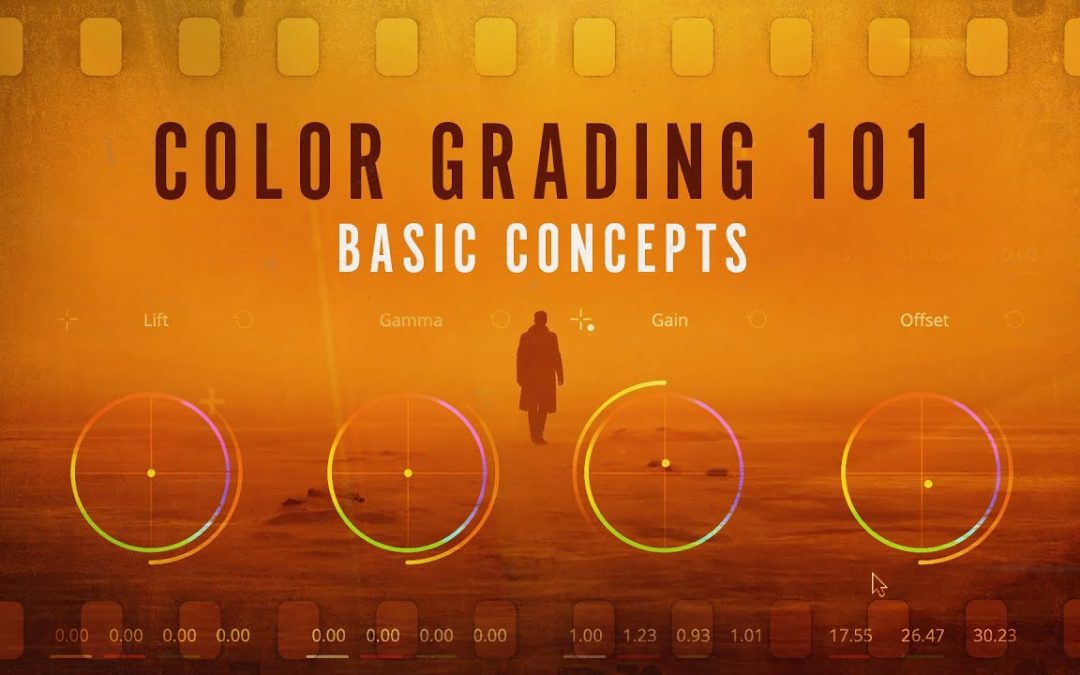
Another essential aspect for newcomers is the use of color wheels and scopes. Color wheels help in visualizing relationships between colors, enabling effective color harmonies and corrections. Meanwhile, scopes like histograms and waveforms provide analytical insights into exposure and color balance, ensuring that the final product meets professional standards. By mastering these basic concepts, beginners can effectively manipulate visual narratives and evoke specific emotions, making their work stand out in a competitive landscape.
What software tools are recommended for beginners in color grading?
For beginners venturing into color grading, one of the most user-friendly software tools is DaVinci Resolve. This powerful program offers a comprehensive free version, making it accessible for those just starting out. With its intuitive interface and extensive tutorials available online, users can quickly grasp essential color grading techniques. DaVinci Resolve also integrates editing and audio post-production features, allowing beginners to explore multiple aspects of video production in one platform.
Another excellent choice for novices is Adobe Premiere Pro, known for its versatility and industry-standard capabilities. While it requires a subscription, Premiere Pro offers a seamless integration with other Adobe products, which can be beneficial for those already familiar with the Adobe ecosystem. The Lumetri Color panel within Premiere Pro simplifies the color grading process, enabling users to make adjustments with ease. Its extensive library of presets and effects helps beginners apply professional-grade color corrections without feeling overwhelmed.
Finally, Final Cut Pro X is a top recommendation for Mac users looking for a straightforward yet powerful color grading tool. With its magnetic timeline and user-friendly interface, beginners can navigate through projects smoothly. The built-in color grading tools, including color wheels and curves, allow for precise adjustments while maintaining a clean workflow. Final Cut Pro X also features a range of tutorials, making it easy for new users to learn and experiment with color grading techniques in a supportive environment.
How can I develop a color grading style that suits my projects?
Developing a unique color grading style begins with understanding the emotional tone and narrative of your project. Start by analyzing the themes and mood you want to convey—whether it’s the warmth of a sunlit scene or the cool tones of a somber moment. Create a mood board that includes color palettes, references from films, and photography that resonate with your vision. This visual inspiration will serve as a foundation for your grading style, helping you establish a consistent aesthetic that aligns with your story.
Next, familiarize yourself with the tools and techniques available for color grading. Experiment with software like DaVinci Resolve or Adobe Premiere Pro, which offer a range of features to manipulate color and light. Play with settings such as contrast, saturation, and hue, and explore the use of LUTs (Look-Up Tables) to achieve distinct looks. Regular practice is essential; try grading different types of footage to see how various styles impact the storytelling. Document your process and take notes on what works best, allowing you to refine your approach over time.
Finally, seek feedback from peers or mentors to gain fresh perspectives on your work. Share your graded footage and ask specific questions about how well it communicates the intended mood or theme. Constructive criticism can provide valuable insights that help you evolve your style further. Remember, developing a color grading style is an ongoing journey. Stay curious, keep experimenting, and let your unique voice shine through in every project.
What are some common mistakes beginners make in color grading, and how can I avoid them?
Color grading is an essential aspect of video production that can dramatically enhance the visual storytelling of a project. However, beginners often fall into the trap of over-saturation, where they push colors beyond their natural limits in an attempt to create a vibrant look. This can lead to unrealistic visuals that distract from the narrative. To avoid this mistake, it’s clave to start with a balanced color palette and make subtle adjustments, focusing on enhancing rather than overwhelming the original footage.
Another common pitfall is neglecting the importance of consistency across shots. Beginners may inadvertently create a jarring viewing experience by applying different grading styles to various scenes, resulting in a disjointed narrative flow. To maintain visual coherence, it’s advisable to establish a clear color grading style at the outset and apply it uniformly throughout the project. Utilizing color matching tools can help ensure that transitions between scenes feel seamless and intentional.
Finally, many newcomers underestimate the impact of lighting on color grading. Poorly lit footage can lead to challenges in achieving the desired look, often resulting in dull or muddy colors. To mitigate this, focus on proper lighting during the shooting phase, as it serves as the foundation for effective color grading. Investing time in understanding lighting techniques and how they interact with color will not only improve the quality of your footage but also make the grading process much more manageable and rewarding.
Master the Basics of Color Grading
Color grading is an essential skill for any aspiring filmmaker or content creator, as it transforms raw footage into a polished visual experience. By understanding the fundamentals of color theory, including hues, saturation, and contrast, you can effectively enhance the mood and narrative of your projects. Experimenting with software tools allows you to manipulate colors creatively, ensuring that each scene resonates with your audience. Mastering these basics not only elevates your storytelling but also sets the foundation for more advanced techniques, allowing your unique style to shine through in every frame.
Transform Your Footage with Simple Techniques
Transforming your footage doesn’t have to be a daunting task. With a few simple techniques, you can elevate the quality of your videos and captivate your audience. Start by experimenting with color grading to enhance the visual appeal; adjusting the tones can breathe new life into even the most mundane shots. Additionally, utilizing smooth transitions and dynamic cuts keeps viewers engaged and adds a professional touch to your storytelling.
Another effective method to enhance your footage is through audio improvement. Clear, crisp sound can significantly elevate the overall experience, so consider investing time in sound editing or using royalty-free music to create the right atmosphere. Pairing striking visuals with well-matched audio not only transforms your content but also fosters a more immersive experience for your viewers. With these straightforward strategies, you can create polished videos that resonate and leave a lasting impression.
Elevate Your Visuals: A Beginner’s Guide
In today’s digital landscape, captivating visuals are essential for grabbing attention and conveying messages effectively. Whether you’re a budding entrepreneur, a content creator, or simply looking to enhance your personal projects, understanding the fundamentals of visual design can elevate your work significantly. By focusing on elements like color theory, composition, and typography, you can create stunning visuals that resonate with your audience and leave a lasting impression.
One of the key aspects of creating impactful visuals is mastering color selection. Colors evoke emotions and set the tone for your message, so choosing the right palette is clave. Consider using a color wheel to identify complementary shades that work harmoniously together. Additionally, understand the psychological effects of colors; for instance, blue often conveys trust, while red can evoke excitement. By strategically using color, you can guide your audience’s feelings and responses to your content.
Composition and typography also play vital roles in elevating your visuals. A well-structured layout draws the viewer’s eye and helps convey your message more effectively. Utilize the rule of thirds to create balance and guide the viewer’s attention through your design. Similarly, selecting the right fonts can enhance readability and reinforce your brand identity. By paying attention to these design principles, you’ll be well on your way to creating visually stunning and compelling content that stands out in a crowded digital space.
Unleash Creativity with Essential Grading Skills
Grading is often seen as a mundane task, but it holds the key to unlocking creativity in both educators and students. By mastering essential grading skills, teachers can provide constructive feedback that not only assesses performance but also inspires innovation and critical thinking. A well-structured grading system fosters an environment where students feel empowered to explore their ideas and take risks, ultimately enhancing their learning experience.
Effective grading goes beyond mere numbers; it involves understanding the unique strengths and challenges of each student. By employing diverse assessment methods, educators can capture a more holistic view of a learner’s abilities. This personalized approach encourages students to engage more deeply with their work, igniting their passion for learning and allowing their creativity to shine.
Incorporating essential grading skills facilitates a dialogue between teachers and students. Clear communication of expectations and constructive feedback helps students identify areas for improvement while celebrating their achievements. This nurturing environment not only cultivates creative thinking but also builds confidence, equipping students with the skills they need to thrive in an ever-evolving world. Through effective grading, we can unleash a wave of creativity that transforms the educational landscape.
Mastering color grading as a beginner opens up a world of creative possibilities, allowing you to enhance your visual storytelling. By understanding the fundamentals of color theory, utilizing the right tools, and practicing regularly, you can elevate your projects from ordinary to extraordinary. Embrace experimentation and don’t shy away from learning from your mistakes; each adjustment is a step toward your unique artistic style. With patience and dedication, you’ll find that color grading is not just a skill, but an essential part of the filmmaking process that can profoundly impact the mood and message of your work.
